

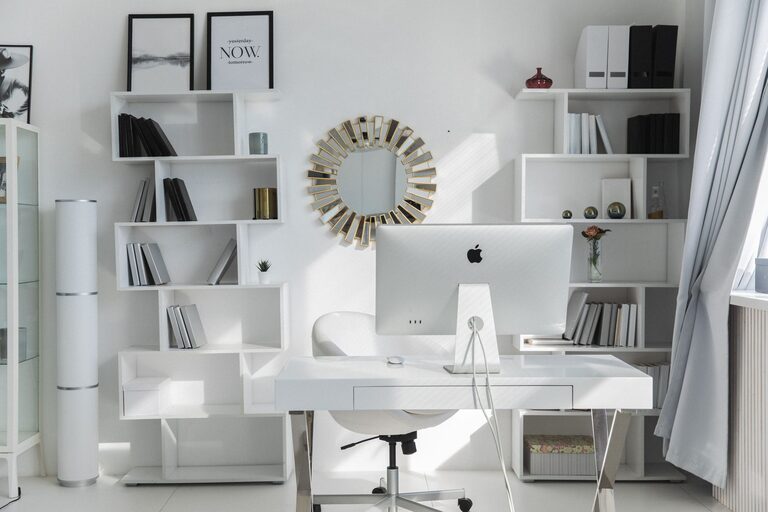
Creating a productive home workspace is essential for anyone working remotely or managing tasks from home. A well-organized environment not only helps you stay focused but also reduces stress and improves your overall work experience. Here are practical tips to help you design and maintain a home workspace where you can be your most productive self.
Choose the Right Location
Selecting the right spot for your workspace is the first step. Ideally, pick a quiet area with minimal distractions. If possible, avoid high-traffic zones like the kitchen or living room where interruptions are more likely.
– Look for a corner or a separate room.
– Ensure there’s enough natural light to keep the space bright.
– Consider proximity to power outlets and internet access.
Invest in Comfortable and Functional Furniture
Your furniture directly impacts how long and how well you can work without discomfort.
– Desk: Choose a desk with enough surface area to hold your computer, supplies, and any other essentials.
– Chair: Invest in an ergonomic chair that supports your back and encourages good posture.
– Adjustments: Consider a desk or chair with adjustable height to fit your body’s needs.
Declutter and Organize Your Workspace
Clutter can overwhelm and distract you. Keep your desk tidy to maintain a clear mind.
– Use organizers like trays, bins, or drawer dividers to keep supplies orderly.
– Limit items on your desk to those you use daily.
– Store papers and files digitally when possible to reduce physical clutter.
Optimize Lighting
Good lighting is crucial for reducing eye strain and maintaining alertness.
– Use a combination of natural light and task lighting.
– Position your desk near a window if possible, but avoid glare on your screen.
– Choose adjustable desk lamps to focus light where you need it.
Set Up Your Technology Efficiently
Having your equipment set up properly helps avoid frustration and interruptions.
– Ensure your computer and peripherals (keyboard, mouse, printer) are easy to reach and arranged ergonomically.
– Manage cables with clips or cable wells to prevent tangles.
– Keep chargers and power strips accessible but organized to avoid clutter.
Personalize Your Space Mindfully
Adding personal touches can make your workspace more inviting but keep it balanced.
– Add a small plant or artwork to brighten the area.
– Use calming colors or decor that inspires you.
– Avoid distractions like loud decorations or unrelated items that clutter your focus.
Establish Boundaries and Routines
A dedicated workspace helps separate work from personal life.
– Set clear work hours and communicate them to others in your household.
– Keep non-work items out of your workspace during work hours.
– Take regular breaks to stretch and refresh your mind.
Maintain Cleanliness Regularly
Keeping your workspace clean improves both hygiene and productivity.
– Wipe down surfaces at least once a week.
– Organize any loose papers or supplies daily.
– Use a checklist to ensure each component of your workspace is maintained.
Use Productivity Tools and Apps
Leverage technology to keep your workflow smooth and organized.
– Use digital calendars to schedule tasks and meetings.
– Try productivity apps for task management and time tracking.
– Use note-taking apps to keep ideas and important information handy.
Stay Flexible and Adapt
Your needs and routines might change over time, so be open to adjusting your workspace.
– Rearrange your desk to improve comfort or lighting.
– Try standing desks or alternate between sitting and standing.
– Update your setup as new tools or needs arise.
—
Organizing a productive home workspace is about creating a place that suits your working style while minimizing distractions and discomfort. By thoughtfully selecting your space, organizing efficiently, and maintaining good habits, you can enhance your focus and enjoy your work-from-home experience. Start small, and adjust your environment as you discover what works best for you.